Principled Shader
From https://docs.blender.org/manual/en/latest/render/shader_nodes/shader/principled.html
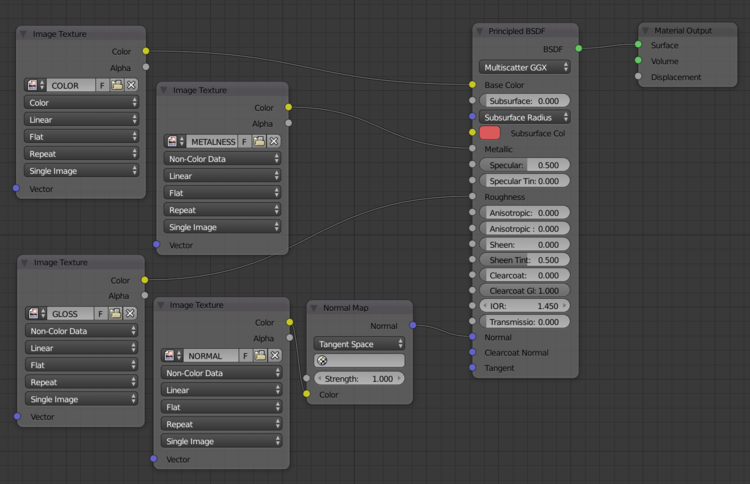
We can use Node Wrangler to automatically set up the images to work with the Principled Shader all automatically.
| Alpha | 0 = Transparent 1 = opaque |
|---|---|
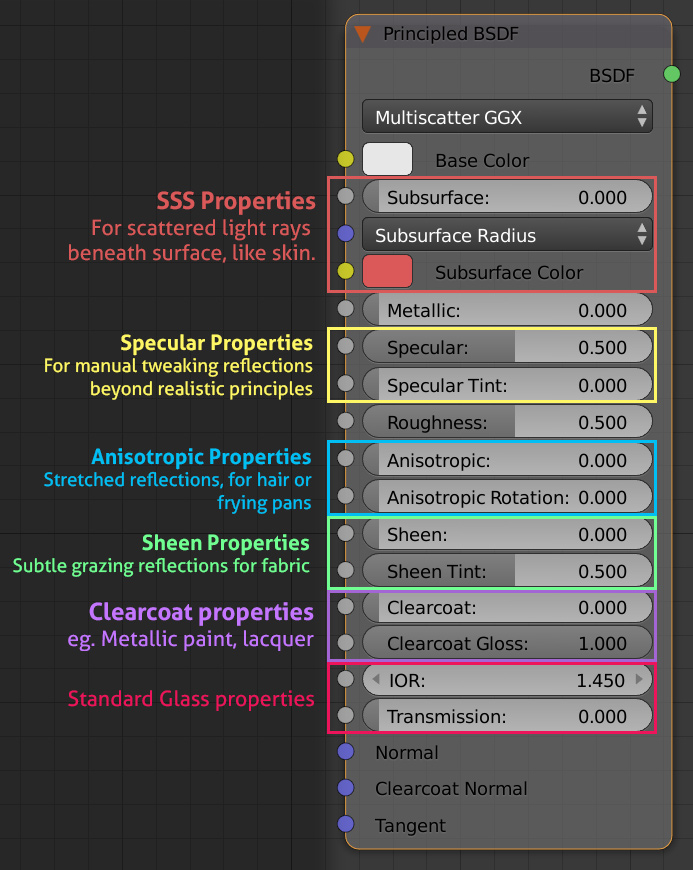
| IOR | Index of refraction (IOR) for specular reflection and transmission. For most materials, the IOR is between 1.0 (vacuum and air) and 4.0 (germanium). The default value of 1.5 is a good approximation for glass. |
| Metallic | Usually 0 or 1 (full metal). A value of 1.0 gives a fully specular reflection tinted with the base color, without diffuse reflection or transmission. |
| Roughness | 0 = full reflective 1 = no reflections If feeding Reflective Image, use Invert Color? to invert the value |
| Normal | For texture, set Color Space=Non-Color, and add Vector: Normal Vector |